Drag the phone

Available now on iPhone

Wake up.
For real.

Flint is the alarm for people who set five alarms because they don't trust the first one. It rings through Silent Mode, and it doesn't stop until you're actually up.

Get Flint on the App Store Free download · Requires iOS 26
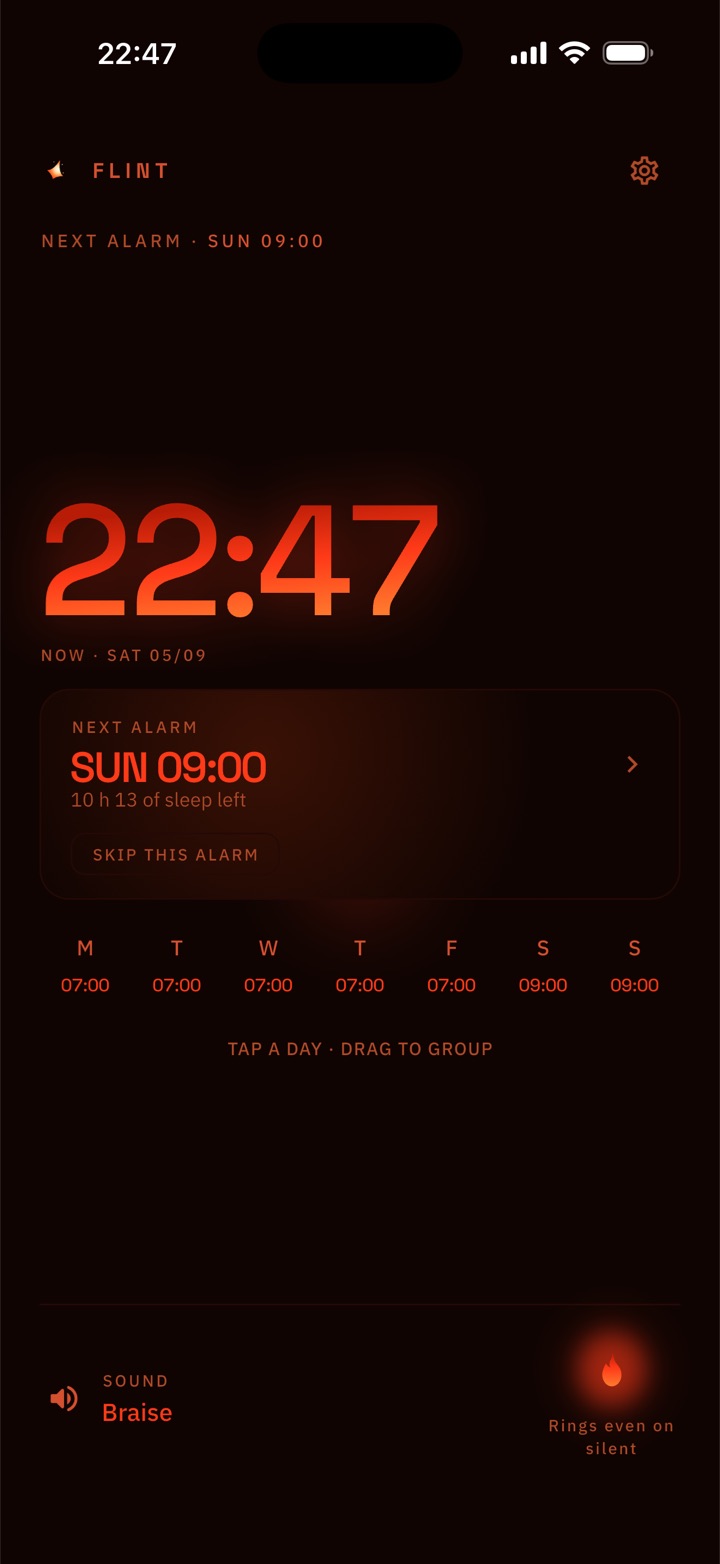
The Flint home screen: the current time in ember on black, the next alarm on Sunday at 09:00, and the week's seven wake times in a row.

One alarm that takes responsibility.

Flint's home screen showing the next alarm and the seven days of the week with their wake times.
01 · Reliability

One alarm.
No backups needed.

No 6:00, 6:05, 6:10 pile-up in your Clock app. Set the time you actually want to be up, and Flint takes responsibility for the rest.

It rings through Silent Mode. It rings through Do Not Disturb. If it ever finds an empty schedule, it re-arms itself.
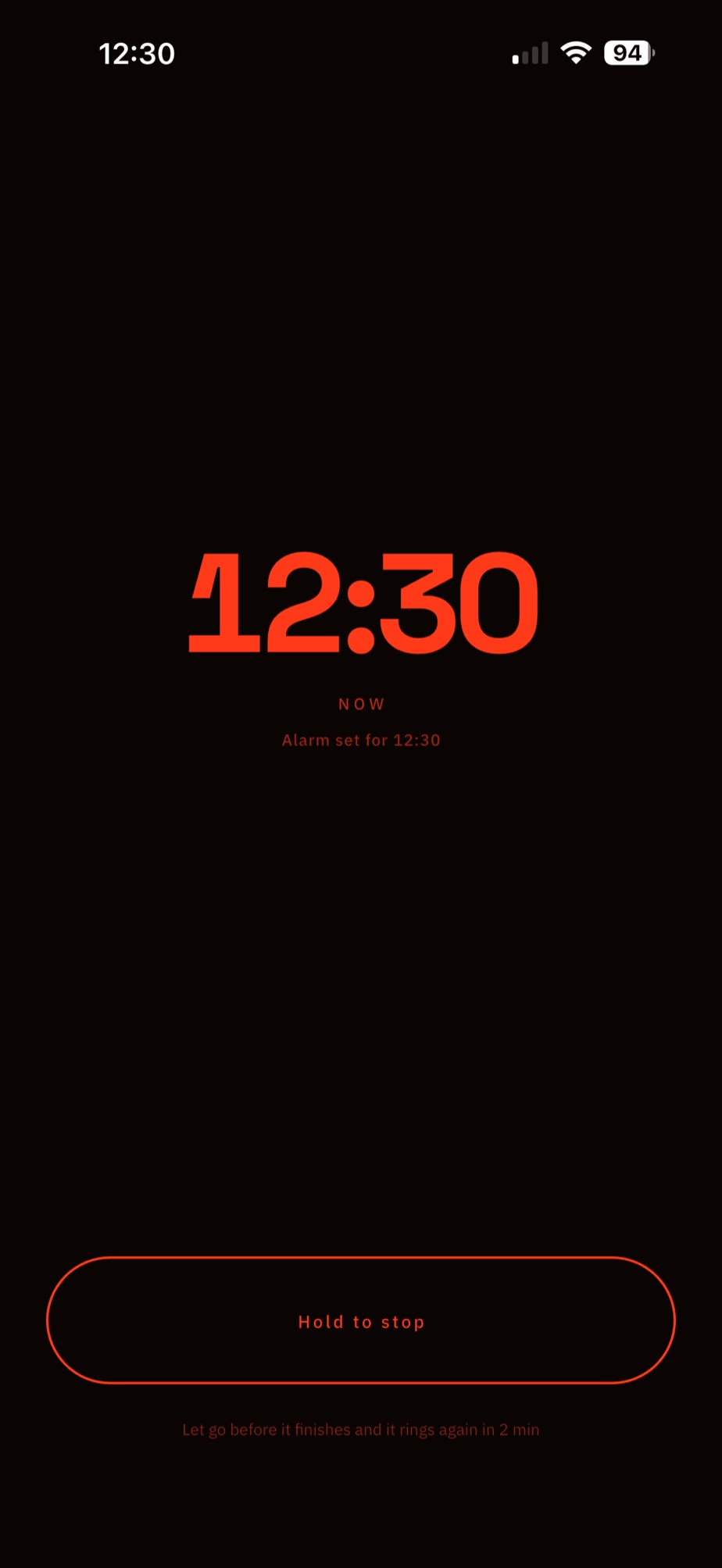
Flint ringing at 07:00 with a large Hold to stop control across the bottom of the screen.
02 · The wake

Hold to stop.
Let go, it's back.

Swiping and tapping are things you do in your sleep. Holding for a full second isn't. The dismiss gesture asks for just enough intent to wake you properly.

And no white flash at 5 a.m. — the wake screen is ember on black, dim and readable in a dark room, brightening gradually instead of blinding you.

Try it. Press and hold for a second — let go early and it comes back.

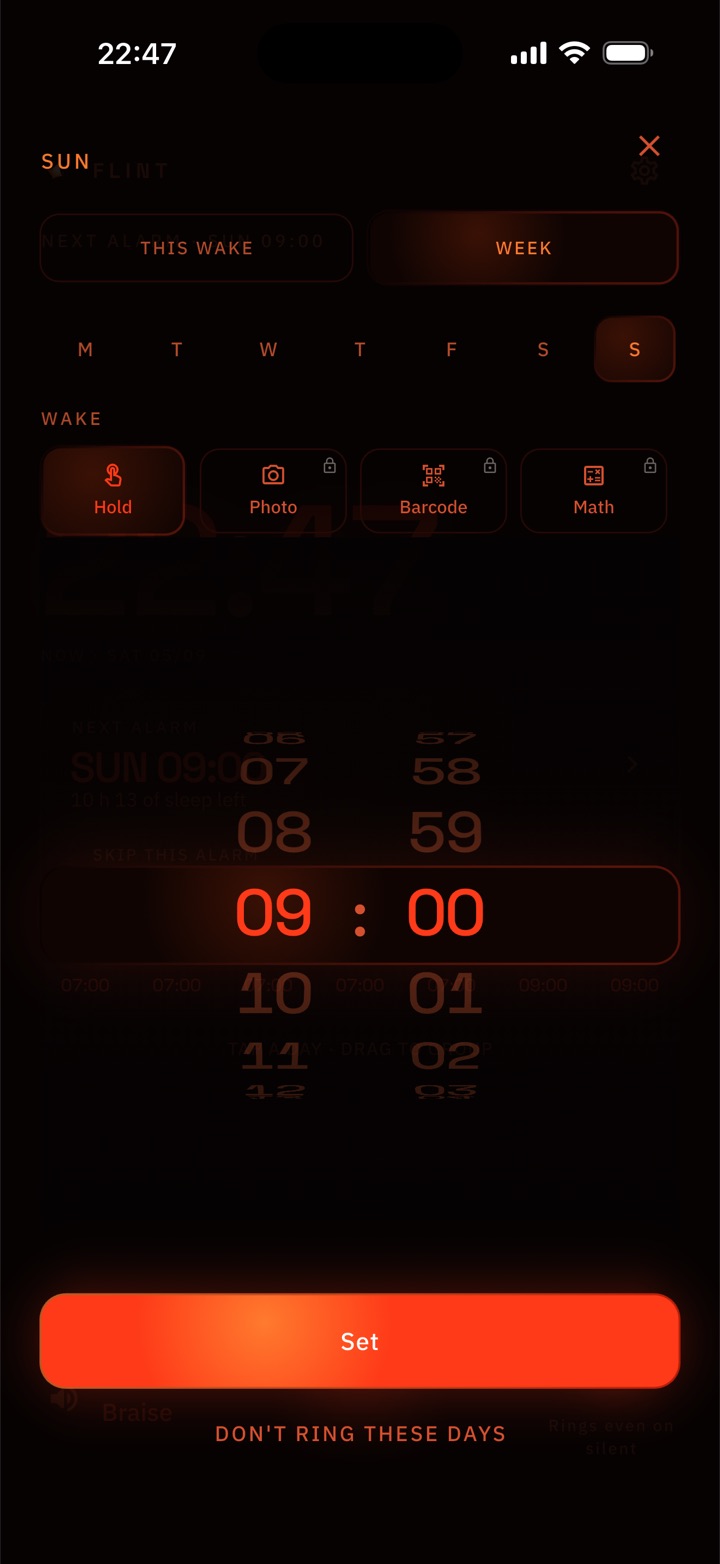
Flint's week editor with each of the seven days and the time set for it.
03 · The week

Your whole week.
One screen.

Seven days, seven times, no scrolling list. Tap a day to change it, drag to group the days that share a wake-up.

Skipping tomorrow doesn't mean deleting it. A skipped alarm shows struck through, with one button to put it back.

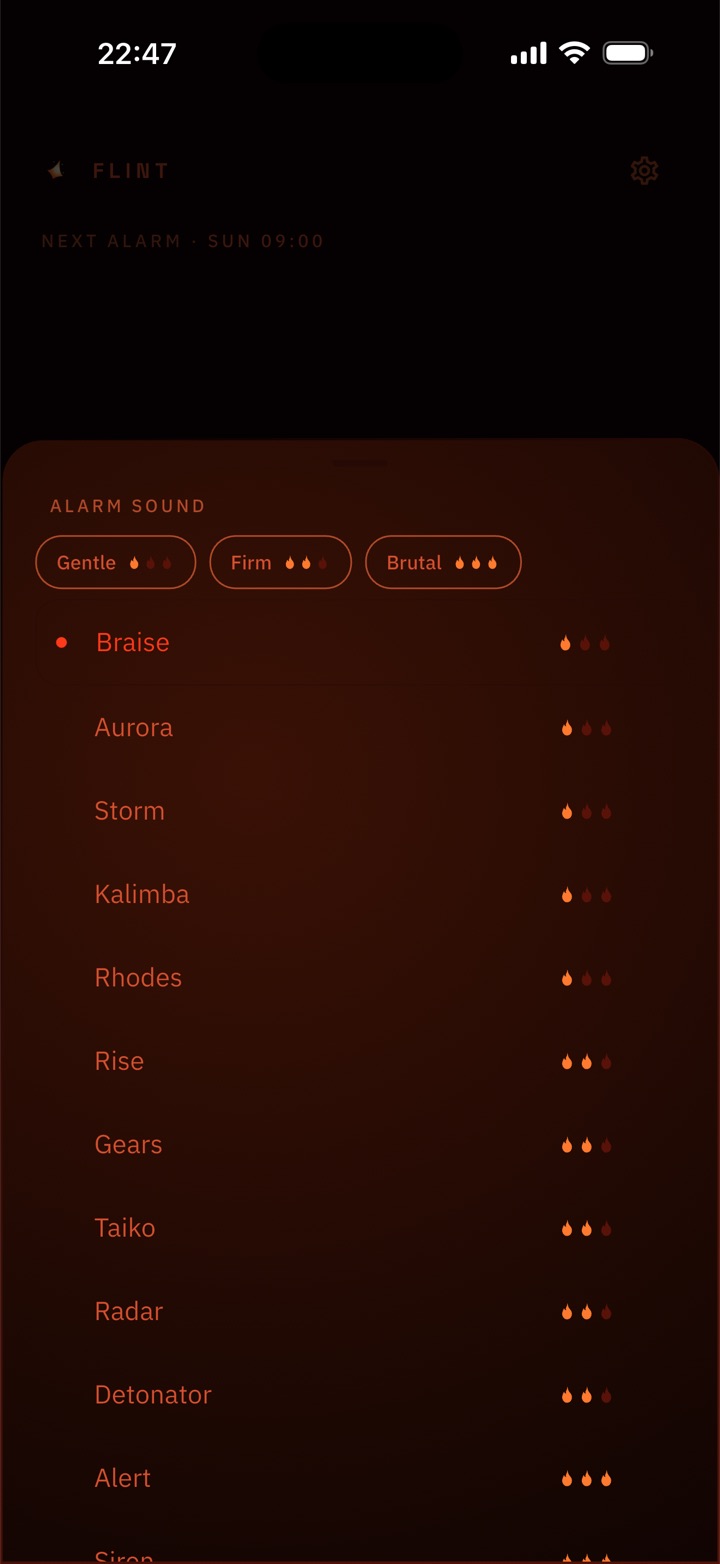
Flint's sound picker, filtered by gentle, firm and brutal, each sound rated with flames.
04 · The sound

24 sounds.
Ranked by intensity.

Filter by how hard you need to be hit. Start gentle and work up, or go straight to the top of the scale. Twelve are free, twelve epics come with Pro.

Six-second samples. Nothing plays until you ask it to.

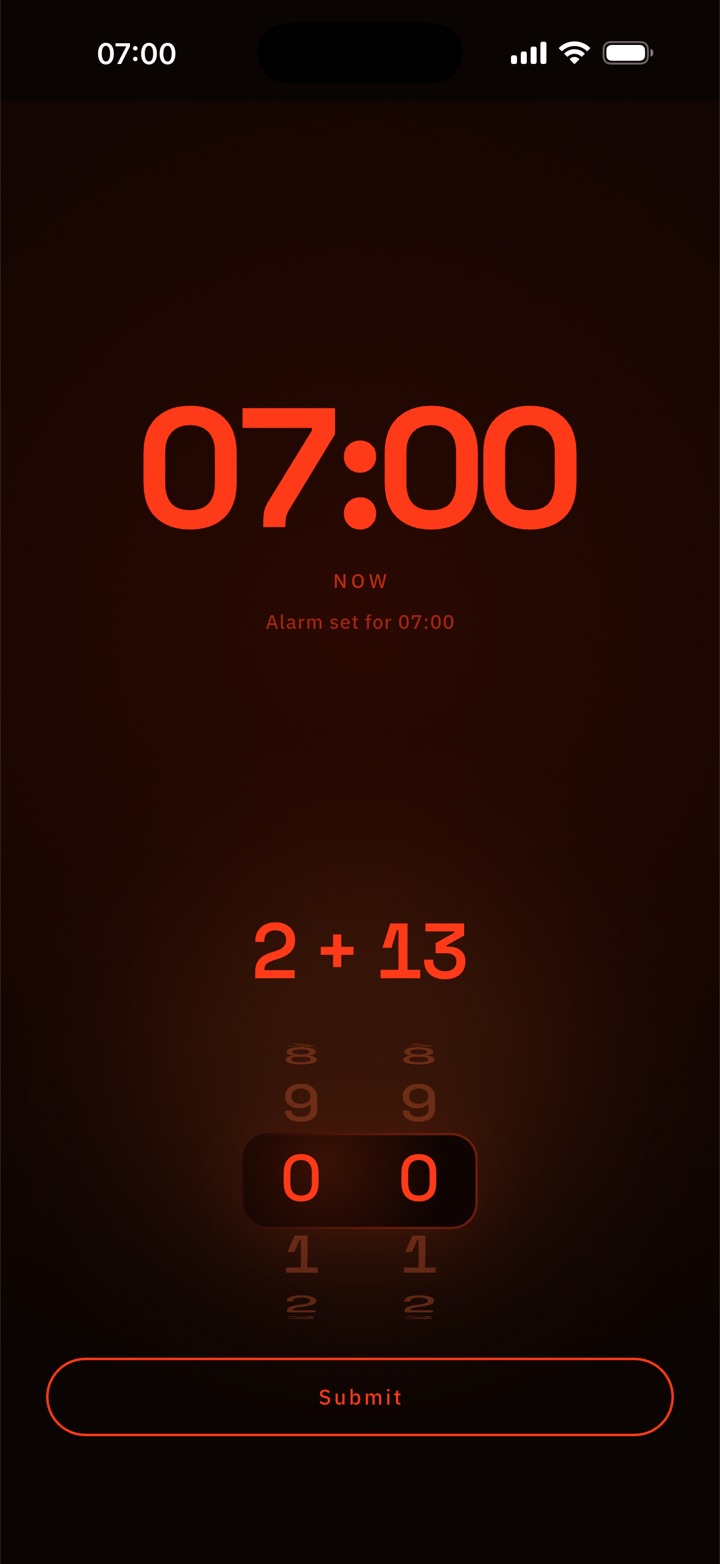
Flint asking for the answer to two plus thirteen before the alarm will stop.
05 · The mission Pro

Wake-ups you can't sleep through.

Set a real task, per day, to turn the alarm off: photograph the spot you registered, scan a barcode, or solve a math problem. Until you do, it comes back.

All of it happens on your phone. The photo never leaves it, and there is nothing on the other end to compare it to.

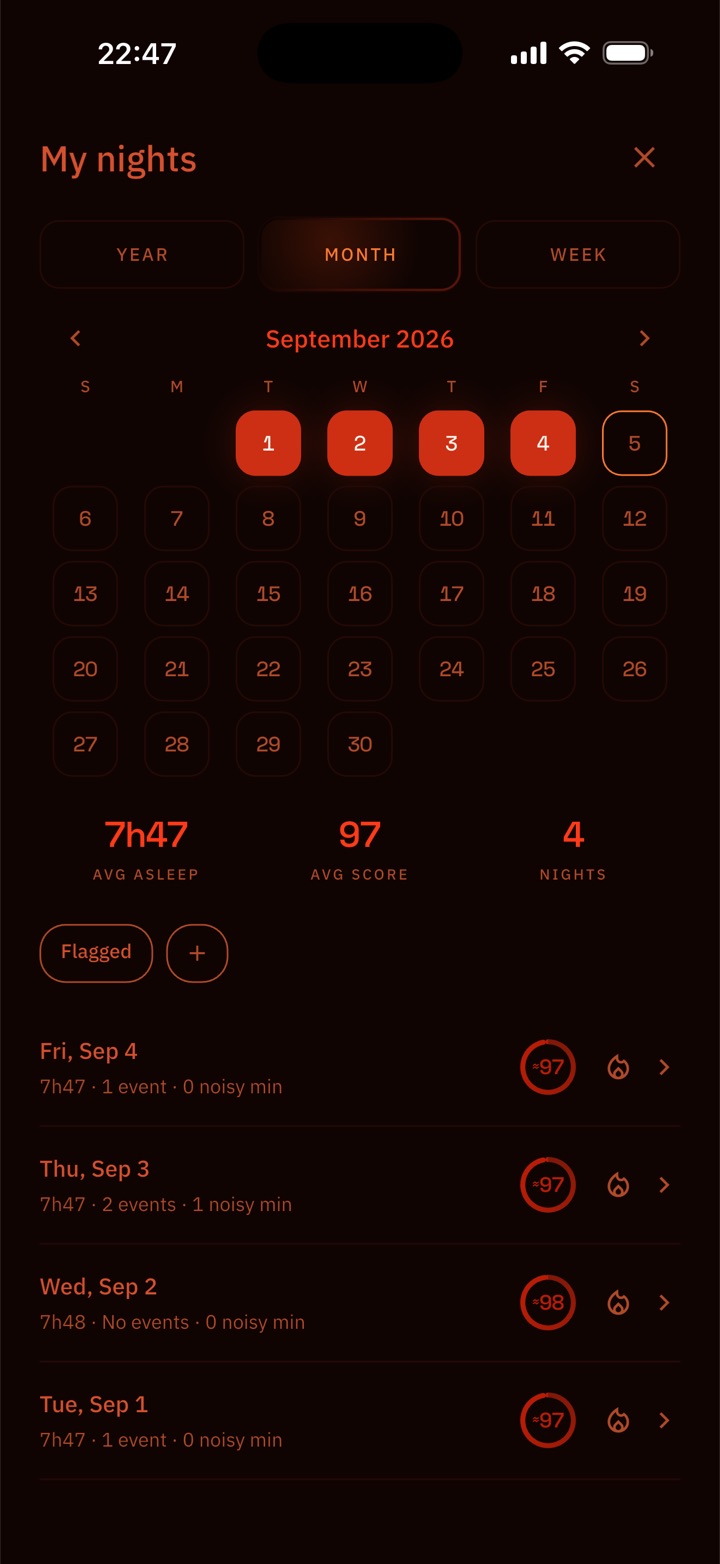
Flint's My Nights view: a month calendar with the scored nights lit, an average score of 97, and a list of recent nights.
06 · The record

Every night, scored.

Measured, never guessed. Flint scores the nights it actually woke you for — how long you slept, how noisy it got, and how hard the alarm had to work to move you.

By week, month or year. It's a record of your mornings, kept on your phone and nowhere else.

With Pro it can also keep short clips of the loud moments, snoring or coughing, so you can hear what the score is talking about. It stays off until you turn it on, and the clips never leave your phone.

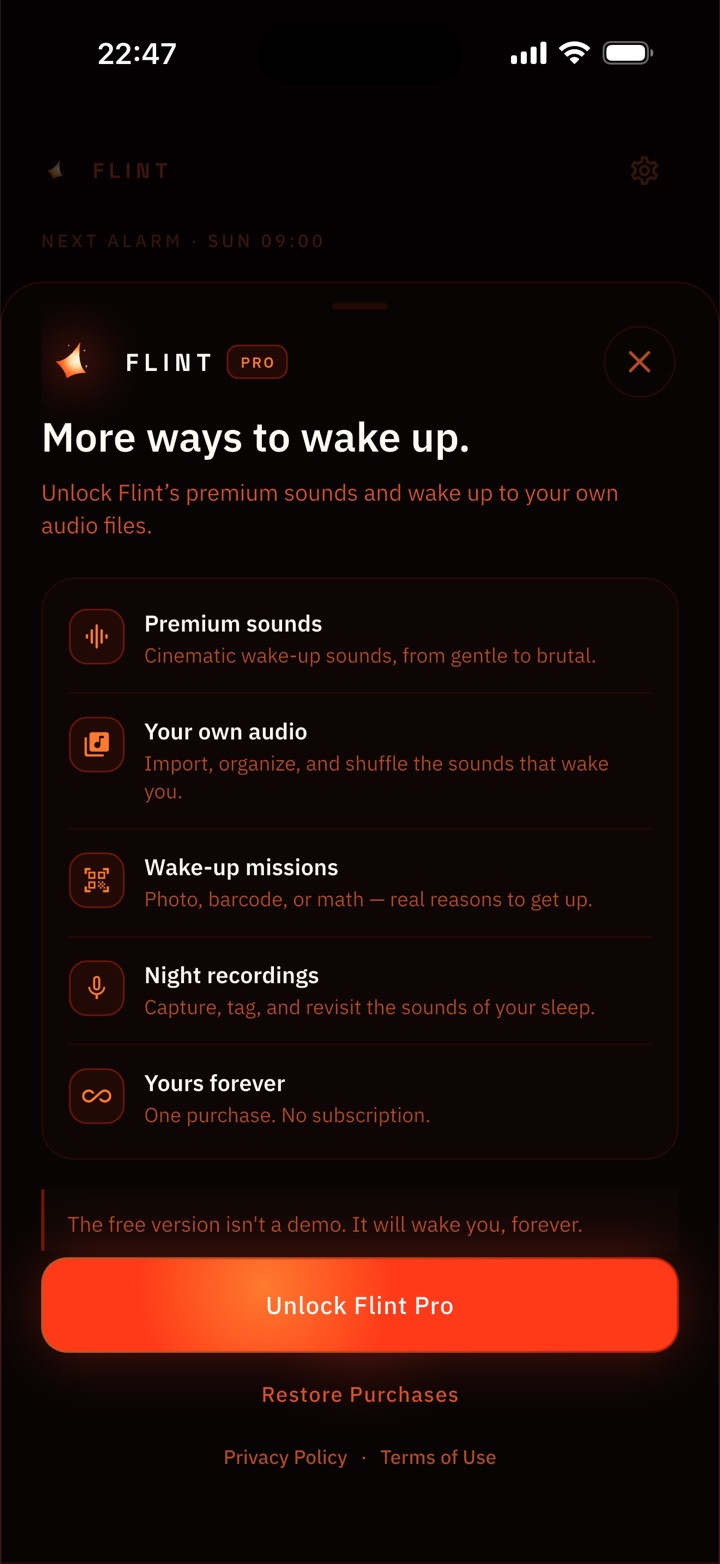
Flint Pro: a one-time purchase listing the epic sounds, custom audio and physical wake-ups.
07 · The deal

Pay once.
Or don't.

The free version isn't a trial. Your whole week, full reliability, no limits, no ads, no countdown to an upgrade screen.

Pro is a single purchase: the 12 epic sounds, your own audio imported from your library, and the physical wake-ups. There is no subscription and there never will be.

Nothing about you leaves your iPhone.

Flint collects nothing because it never sends anything anywhere. Your schedule, your settings, your imported audio and your night history sit in an ordinary file on your device, and that's where they stay.

Tomorrow starts with one alarm.

Get Flint on the App Store